
Learn how to make a hologram out of an AI avatar. Step-by-step guide to exporting AI models, setting up displays, and projection techniques.
The line separating digital intelligence from our physical environment is rapidly disappearing. For years, interacting with a conversational artificial intelligence meant typing lines of text into a flat user interface or listening to synthesized audio responses. The rise of sophisticated virtual characters has added a visual dimension, but these lifelike human representations remain confined behind two-dimensional glass screens.
The next stage of immersive user experience is bringing these assets into the physical world. Learning how to make a hologram out of an ai avatar bridges the gap between generative intelligence and spatial computing. Whether you want to construct an interactive AI desk companion, build an eye-catching display for a retail environment, or develop a futuristic presentation tool, this technical guide maps out the exact hardware, software, and optimization steps required to pull your AI avatar off the flat screen and project it into three-dimensional space.
Before assembling your production pipeline, it is important to clarify a common industry misnomer regarding spatial projections.
True holograms require recording light interference patterns using lasers, a highly complex scientific process that cannot change on the fly to match an AI model’s dynamically generated conversation. What the tech sector, entertainment industry, and digital artists refer to as an “AI hologram” is technically a pseudo-hologram. These displays use high-density illumination, high-contrast digital displays, and precise optical reflections to trick the human eye into perceiving a three-dimensional object floating in mid-air.
To achieve this spatial illusion with a generative AI character, you can use several deployment strategies, ranging from simple DIY projects to advanced enterprise setups:
| Projection Method | Primary Technology | Cost Horizon | Best Suited For |
| Pepper’s Ghost Pyramid | Semi-reflective beam splitter glass or plexiglass angled at 45 degrees over a flat monitor. | Low ($10 – $150) | Desktop setups, hobbyists, small displays. |
| Holographic Fan Arrays | High-speed spinning LED bars with precisely synchronized micro-timing intervals. | Medium ($150 – $1,200) | Retail windows, trade show booths, high brightness. |
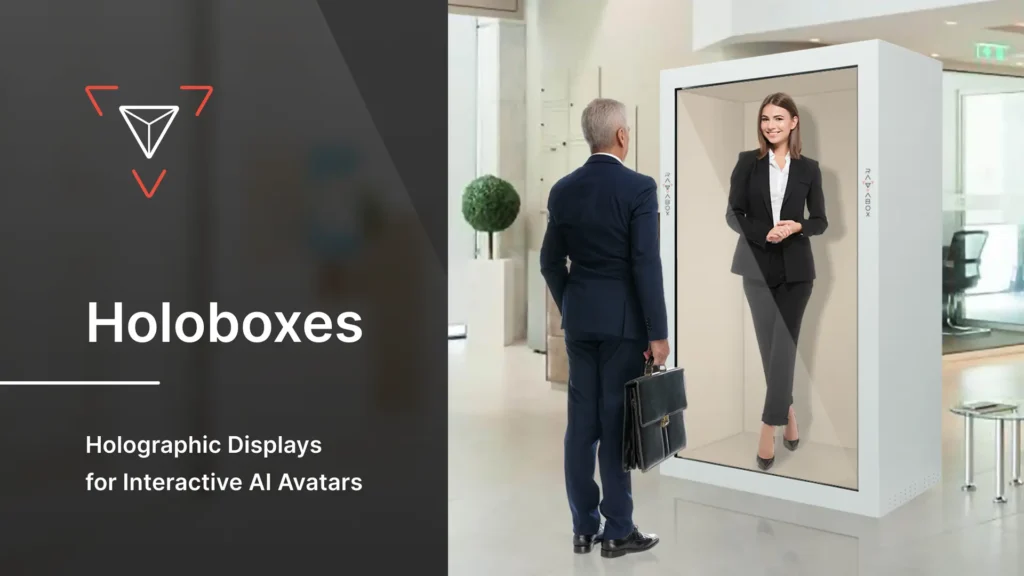
| Transparent LCD/OLED Cabinets | Commercial display boxes featuring a clear front screen panel backed by a high-lumens backlight chamber. | High ($1,500 – $8,000+) | Corporate receptions, permanent installations. |
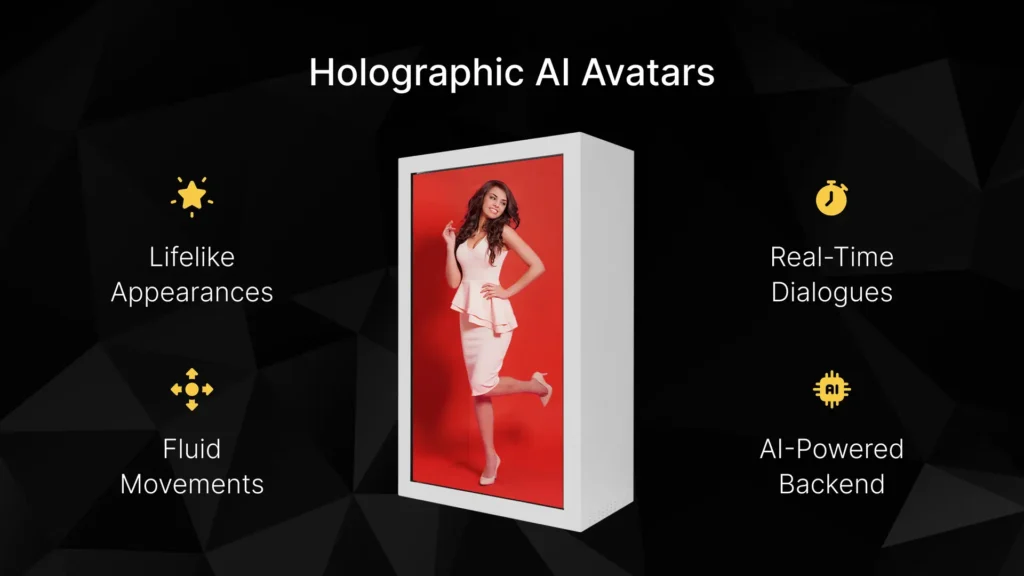
The foundation of any successful projection is the visual clarity of the digital asset. An AI model cannot project clean spatial depth if the source video or 3D engine output contains complex backgrounds or muddy colors.
You must determine whether your deployment architecture requires a pre-rendered 2D video matrix or a real-time 3D model engine stream:
2D Video Matrix (Simulated 3D): Platforms like Synthesia or HeyGen produce highly realistic human clones. However, these tools export flat, single-angle video files. To project them effectively, they must be recorded against a solid green or pure black backdrop.
Real-Time 3D Models: For a truly interactive experience where the avatar responds dynamically to user input, you need a full 3D asset file—typically formatted as an FBX, GLTF, or VRM file. Characters generated through Unreal Engine’s MetaHuman framework or tools like Ready Player Me are perfect for this approach.
To create the illusion of a physical object floating in space, the background surrounding the avatar must be absolute black (#000000).
When light hits a holographic semi-reflective surface, darker colors pass right through without reflecting, making them appear completely transparent to the viewer. Bright, intensely saturated colors reflect strongly, causing the avatar to pop against its surroundings.
Set your camera projection matrix to orthographic to eliminate unwanted lens distortion.
Incorporate high-contrast directional lighting onto the avatar’s digital mesh to emphasize structural depth and shadow lines.
Configure the output format to export at a minimum resolution of 4K at 60 frames per second to prevent visible motion stuttering across reflective surfaces.
Once your digital asset is configured, you need a hardware configuration capable of refracting that light into a spatial projection.
The absolute fastest way to experiment with an AI hologram uses a classic illusion technique called Pepper’s Ghost. By shaping a semi-reflective material into an inverted four-sided pyramid, you can split a single display into four distinct perspective angles.
To construct a desktop-sized pyramid, follow these structural guidelines:
Draft the Template: Using a piece of paper, sketch an isosceles trapezoid with a top base of 1 cm, a bottom base of 6 cm, and a height of 3.5 cm. (Scale these numbers up uniformly if you are adapting for a larger tablet or monitor).
Cut the Panels: Trace this pattern onto a sheet of clear, thin plastic—such as an upcycled CD case cover or a sheet of clear polycarbonate. Cut out four identical panels.
Assemble the Structure: Arrange the four pieces into an inverted pyramid shape and secure the touching edges with clear adhesive tape.
Placement: Flip the pyramid so the small 1 cm opening rests on top of your smartphone or tablet screen, perfectly centering it over a specialized “four-quadrant” video template.
For professional deployments, building plastic structures lacks the brightness needed for well-lit rooms. Commercial holographic boxes feature high-contrast LCD display panels positioned horizontally at the top or bottom of a housing cabinet.
A specialized glass panel called a beam splitter is mounted inside at a precise 45-degree angle. The glass features a microscopic metallic coating designed to reflect roughly 40% of the light while transmitting the remaining 60%. This balance allows viewers to see the bright digital reflection of the AI avatar while looking straight through the clear glass at physical objects placed deep inside the cabinet’s background chamber.
A static video loop of an avatar looks futuristic, but it lacks genuine intelligence. To make your hologram fully conversational, you need a live software bridge that links real-time microphone capture to an LLM brain and an automated animation script.
[User Speech] -> [Whisper API (STT)] -> [LLM Brain (GPT-4/Claude)] -> [ElevenLabs (TTS)] -> [Unity/Unreal Engine Lip Sync] -> [Holographic Display Output]
This real-time computational loop runs across five distinct technical steps:
The local client machine initializes a continuous audio-capture loop monitoring for voice activity. When a user speaks near the display, the raw audio file is recorded, compressed, and piped to an ultra-low latency Speech-to-Text inference model, such as OpenAI’s Whisper engine.
The transcribed text string is packaged into a structural system prompt and forwarded to an LLM API endpoint via a secure WebSocket connection. This cloud layer parses the user’s intent, references historical conversation logs, and outputs a stream of conversational text response tokens.
The raw response tokens are instantly routed into a high-fidelity streaming text-to-speech architecture like ElevenLabs or an optimized local alternative like Bark. This service converts the written words into natural human speech, complete with realistic breathing pauses and emotional inflections.
The synthesized audio stream is fed into a 3D runtime environment like Unity or Unreal Engine. Inside the project scene, an automated lip-sync system, such as Oculus Lipsync or Omniverse Audio2Face, maps the incoming audio frequencies to specific facial mouth shapes (visemes) on your avatar’s 3D mesh in real-time.
[Insert Authority Link to: NVIDIA Omniverse Audio2Face Documentation and SDK Developer Guides]
The application window is rendered with an absolute black backdrop and formatted to align with your hardware’s layout. If you are using a standard display box, you simply maximize the view window. If you are using a four-sided pyramid display, you must configure a specialized camera layout matrix that duplicates and rotates your character across four quadrants, matching each face of the plastic structure:
      [Top View: Rotated 180°]
                 |
[Left View: -90°] + [Right View: +90°]
                 |
     [Bottom View: Rotated 0°]
Even the best software pipeline can fall flat if the physical environment breaks the visual illusion. To ensure your AI avatar looks solidly anchored in real space, implement these professional lighting and styling techniques:
The human eye perceives depth by tracking shadows and specular highlights. If harsh overhead fluorescent room lighting strikes your holographic glass panel, it will wash out the reflected pixels, revealing the physical boundaries of the screen framework. Always place your display cabinet away from direct windows and use dim, directional accent lighting around the base of the device.
An illusion looks much more convincing when paired with real-world objects. Place physical props, such as a small artificial desk plant or a minimalist background graphic, inside the display cabinet behind the angled beam-splitter glass.
When your AI avatar is projected, its digital form will appear to stand directly in front of those tangible objects. This structural overlap provides a powerful visual depth cue that tricks the brain into perceiving true three-dimensional volume.
If the room housing your display has a dominant light source coming from the left side, configure the digital lights inside your Unity or Unreal Engine project to strike your avatar mesh from that exact same angle. Aligning these illumination sources keeps the digital asset cohesive with its surrounding environment.
As display technologies continue to mature throughout 2026, the reliance on glass reflection tricks will gradually give way to direct spatial emission hardware.
[Insert Authority Link to: Light Field Lab and the state of Solid-State True Holographic Emission Arrays]
Developments in solid-state light-field displays are clearing paths to project actual three-dimensional energy vectors directly into mid-air, without requiring clear plastic structures or specialized eyewear. Concurrently, advancements in compact edge-computing hardware mean the entire pipeline—from speech-to-text processing to fluid facial animation—can run entirely on local microchips without needing an active internet connection.
Incorporating these conversational physical figures into your business infrastructure offers a unique competitive advantage:
Retail Concierge Points: Converting anonymous touchscreen directories into helpful AI assistants that can point out store locations, answer inventory questions, and look up membership account details.
Immersive Educational Tools: Projecting historical figures or scientific conceptual models directly onto desks, turning standard reading material into an interactive experience.
Smart Home Controllers: Replacing abstract voice speaker hubs with a visible, interactive assistant capable of managing automated tasks while displaying distinct emotional reactions.
Yes. You can create a functional entry-level hologram by combining a smartphone screen with a homemade four-sided plastic pyramid cut from clear plastic packaging. By playing a specialized four-quadrant video format on your phone and resting the pyramid on the screen, the character will appear to float inside the plastic center.
For static pre-rendered video loops, any basic media player or entry-level processor will work. However, if you want a fully interactive avatar that listens, thinks, and speaks in real-time, you will need a dedicated graphics card (such as an NVIDIA RTX series GPU) to handle the facial deformation meshes, lipsync rendering, and text-to-speech generation loops simultaneously without noticeable latency.
For custom development, Unity and Unreal Engine are the undisputed industry standards due to their robust physics networks, real-time lighting capabilities, and extensive plugin libraries for AI integrations. For simpler, no-code alternatives, web-based creator platforms like Kits.ai and virtual assistant frameworks offer accessible entry points.
Transparency issues are almost always caused by excessive ambient room light or an insufficiently bright display monitor. To maximize contrast, make sure the backdrop behind your digital character is pure black (#000000), increase your monitor’s brightness setting to its maximum value, and turn off any overhead lights reflecting off the display panel.
Yes, you can add interactive touch capabilities by installing infrared touch frames along the outer edges of your display cabinet or integrating hand-tracking sensors like a Leap Motion controller. This allows your software engine to register hand gestures or touch coordinates in real space, enabling users to interact directly with the projected character.
To launch your first AI avatar projection project today, move through these concrete development goals:
Generate a Test Asset: Create a simple 3D character profile using a free tool like Ready Player Me, and export it against a dark digital background backdrop.
Test the Physical Assembly: Construct a quick prototype template out of an old clear plastic CD jewel case to verify that your display reflections are aligning correctly.
Bridge the API Endpoints: Download a pre-configured AI-to-Unity starter script from GitHub to test your voice-to-text latency before building out your final custom enclosure.
Powered by Digital AI Tips – All rights reserved.