
Learn how to keep up with gaming news fast. Practical tools, routines, and tips to track releases and esports on ZeroMagGaming.
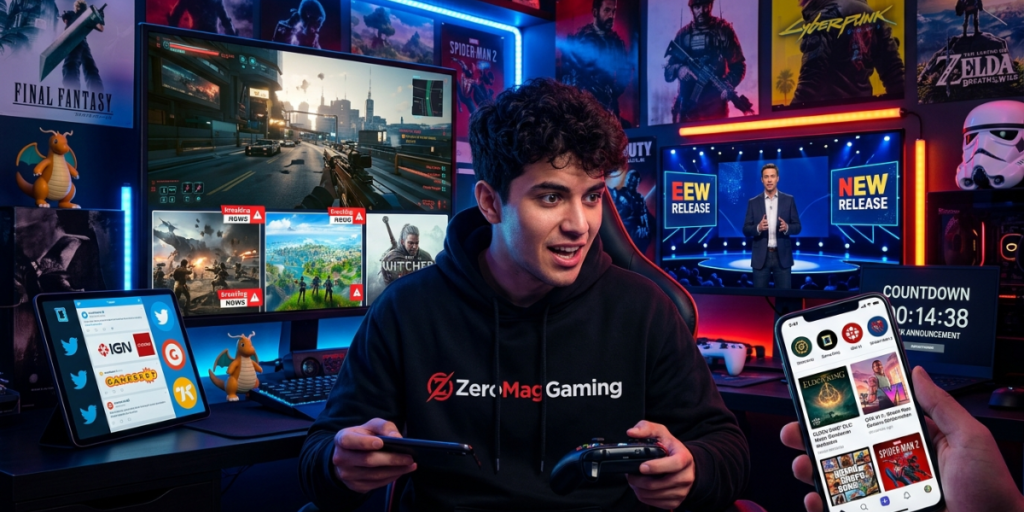
Gaming moves fast. A surprise patch drops on Tuesday, a major release date leaks on Wednesday, and a studio cancels a beta by Friday. If you only check headlines once a week, you miss deals, pre-orders, and balance changes that affect how you play. This guide shows you exactly how to keep up with gaming news without drowning in tabs, rumors, and notifications you don’t need.
Below, you’ll learn how to build a fast, repeatable routine using ZeroMagGaming as your central hub, how to filter news by your interests, and how to spot trustworthy reporting before you share or buy.
Key Takeaways
- Pick one main hub (like ZeroMagGaming) and a couple of backup sources to cut down on noise.
- Build a 10-minute daily check plus a longer weekly deep-dive for big stories and trends.
- Filter by platform, genre, and franchise so you only see relevant gaming news updates.
- Verify before you trust: check dates, authors, and official channels for game announcements.
- Use newsletters and alerts to catch breaking video game releases and esports news automatically.
Following gaming news isn’t just about staying social. It has real, practical payoffs.
The stakes are bigger than they look. The video game industry is now a major economic force. According to the Entertainment Software Association’s data and insights, U.S. consumer spending on video games reached tens of billions of dollars in recent years, with hundreds of thousands of jobs tied to the sector. With that much money and creativity in motion, news volume keeps climbing, so a system to manage it pays off.
Before we get tactical, it helps to know what separates a reliable hub from a noisy feed. The best gaming news websites tend to share a few traits:
ZeroMagGaming works well as a practical home base because it organizes coverage into browsable sections you can scan quickly. Pair it with a large outlet like PCGamesN for hardware and PC-specific coverage, and you’ve got broad and deep angles covered without juggling a dozen sites.
Here’s a simple framework you can set up in under 30 minutes and use for months.
Make ZeroMagGaming your first stop. Bookmark the homepage and pin it in your browser. A single, trusted starting point reduces the temptation to scroll endlessly across social feeds where rumors spread faster than facts.
Instead of reading everything, head straight to the sections that matter to you:
This habit alone filters out 80% of stories you’d otherwise skim and forget.
Following a specific franchise? Use the search bar and tag links to follow only that game. Tracking by tag turns a broad news site into a personalized feed for your favorite series, whether that’s a long-running RPG or a live-service shooter with weekly patch notes.
Gaming newsletters are the easiest way to stay informed without checking sites all day. A good newsletter delivers the biggest game announcements straight to your inbox, so breaking news finds you instead of the other way around. Subscribe to one or two and turn off the rest to keep your inbox clean.
Consistency beats marathon sessions. Try this rhythm.
Each morning or evening, spend ten minutes scanning:
That’s enough to catch most patch notes, sales, and release dates without falling into a scroll hole.
Once a week, set aside 30 to 45 minutes to:
This split keeps you current daily while giving you time to absorb the bigger picture weekly.
Websites are great for depth, but social platforms shine for speed. For real-time updates:
The goal is signal over noise. A handful of carefully chosen follows beats a feed flooded with reposts and unverified leaks.
Information overload is the biggest reason people give up on following gaming news. Beat it by narrowing your focus.
Set preferences where you can, mute topics you don’t care about, and lean on tags. If spoilers are a concern, avoid open social feeds in the days around a big launch and stick to your hub’s spoiler-tagged coverage instead.
Different methods suit different habits. Use this quick table to pick your mix.
Method | Best For | Speed | Effort |
|---|---|---|---|
News hub (e.g., ZeroMagGaming) | Depth, reviews, guides | Medium | Low |
Newsletters | Daily digests, big announcements | Medium | Very low |
Social media | Breaking news, real-time esports | Fast | Medium |
RSS / aggregators | Custom multi-source feeds | Fast | Medium |
Community forums | Discussion, rumors, deep dives | Slow | High |
Most readers do best with a hub plus a newsletter for the core, then social media for speed when a major event is happening.
Even committed fans trip over the same traps. Watch for these.
Strong sourcing protects you from hype and hoaxes. Use a quick three-check habit before you believe a big claim.
For category-specific topics, official resources add helpful context. Esports, for example, has grown into a structured global scene. The ESA’s guide to esports explains how competitive gaming is organized, which helps you separate hype from genuine, verifiable developments. And for understanding why coverage keeps expanding, the ESA’s reporting on Americans who play video games each week shows just how mainstream the hobby has become.
Reader checkpoint: If a story has no date, no named author, and no link to an official source, treat it as a rumor until proven otherwise.
Here’s the full routine in one place:
Stick with this for two weeks and it becomes second nature. You’ll catch releases earlier, waste less time, and make better decisions about what to play and buy.
ZeroMagGaming is positioned as an accessible online hub for gaming news, reviews, and guides. Most gaming news websites let you read coverage without payment, though specific access or subscription details can change, so check the site directly for the latest.
A ten-minute daily scan plus one longer weekly session covers most readers. Daily checks catch patch notes, sales, and release dates, while the weekly deep-dive lets you absorb reviews, esports recaps, and broader gaming industry trends without burning out.
The easiest options are subscribing to a gaming newsletter and following a few trusted accounts on social media with notifications enabled for breaking news only. RSS readers and aggregators also let you pull updates from several gaming news websites into one feed.
Run a quick three-step check: confirm the publication date, verify the author and outlet’s credibility, and cross-reference the claim with official channels like the publisher’s site or store page. If a report skips all three, treat it as an unconfirmed leak.
Keeping up with gaming news doesn’t require endless scrolling. It takes one reliable hub, a couple of automated feeds, smart filters, and a simple verification habit. Use ZeroMagGaming as your home base, layer in a newsletter and a few trusted follows, and commit to a ten-minute daily check.
Your next step is easy: bookmark your hub right now, pick the two categories you care about most, and subscribe to one newsletter. Within a week, you’ll never miss a release, deal, or patch that matters to you again.
Powered by Digital AI Tips – All rights reserved.