
Learn how to raise your vocal note pitch with AI. Master real-time pitch shifters, stem isolation, and AI tools to transform your singing voice.
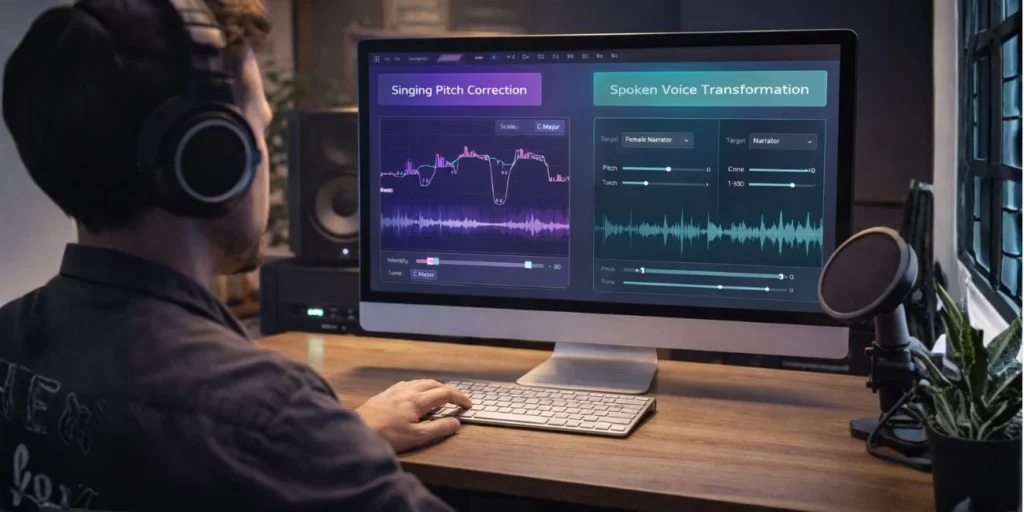
Altering the fundamental frequency of a recorded human voice used to require hours of tedious, manual micro-editing. Audio engineers had to slice waveforms, adjust pitch correction software note by note, and apply complex time-stretching algorithms just to shift a vocal melody up a semitone without making the singer sound like a cartoon chipmunk.
Today, artificial intelligence has completely rewritten this workflow. Whether you are a music producer looking to adjust a melody line, a content creator aiming for a more energetic voiceover, or a vocalist practicing outside your natural range, learning how to raise your vocal note pitch with ai allows you to achieve studio-grade results in seconds. Modern machine learning models process audio by isolating semantic voice components from background noise, applying precise formant preservation, and re-synthesizing the audio with absolute mathematical precision.
This comprehensive guide breaks down the underlying mechanics of AI pitch shifting, reviews the top software solutions available, and provides step-by-step workflows to elevate your audio production pipeline.
To understand why artificial intelligence is so revolutionary for vocal processing, we must examine the physical components of human speech and singing.
When a person sings a note, two primary elements dictate the sound:
Fundamental Frequency ($f_0$): This is the actual pitch of the note, measured in Hertz (Hz). Shifting a note from a C3 to a C#3 means increasing this fundamental frequency.
Formants: These are the acoustic resonances of the human vocal tract. Formants are determined by the physical shape and size of your throat, mouth, and nasal cavities. They do not change when you sing different pitches.
Legacy audio software utilizes digital signal processing (DSP) algorithms like Phase Vocoding or Pitch-Synchronous Overlap and Add (PSOLA). When these tools shift the fundamental frequency upward, they inadvertently shift the formants along with it. This creates the artificial, high-pitched “artificial chipmunk effect” that ruins the natural texture of the human voice.
AI neural networks approach this problem through a process called source separation and acoustic re-synthesis. Instead of simply stretching a raw audio wave, an AI model decomposes the vocal signal into a matrix of distinct features. The network maps out the emotional micro-intonations, the breathing patterns, and the exact boundaries of the vocal tract resonances.
By separating the fundamental frequency from the structural formants, the AI can raise the pitch of a vocal note while keeping the singer’s anatomical identity completely intact.
The landscape of AI audio consists of several competing architectures, each optimized for different production environments. If your goal is to learn how to raise your vocal note pitch with ai, you will interact with three core technological frameworks:
RVC is an open-source, highly efficient architecture that uses deep neural networks to clone and transform voices. It works by taking a target vocal line and passing it through a pre-trained model of a specific voice. If you want to raise a pitch using RVC, you can adjust the transposition parameter (measured in semitones) before running the inference pipeline. The model completely replaces the source vocal mechanics with the target model’s characteristics at the higher pitch.
These are specialized algorithms embedded into modern Digital Audio Workstations (DAWs) and web applications. They use deep learning to dynamically track formants in real-time. As the user moves a slider to increase pitch, the AI applies a compensatory filter that moves the formants in the opposite direction, neutralizing any synthetic coloration.
The latest breakthrough in vocal synthesis involves latent diffusion models, similar to the technology behind AI image generators. These systems analyze the text lyric and the baseline melody of an audio file, then generate a completely new, high-resolution vocal track from pure acoustic noise. This allows for absolute control over pitch tracking, vibrato, and vocal delivery without relying on the physical limits of the original recording.
Choosing the right software depends heavily on your technical skill level, budget, and specific project needs. Below is an analytical look at the leading AI platforms designed to modify vocal pitch cleanly.
Before you can cleanly raise the pitch of a vocal note, you must isolate the vocals from the background instrumental track. Lalal.ai uses a proprietary 16-stem neural network called Orion to split audio files with pristine clarity. Once isolated, its integrated algorithms allow users to shift the pitch up or down without degrading the underlying audio quality.
Kits.ai is a highly polished, cloud-based platform built specifically for musicians and voice artists. It features an extensive library of officially licensed AI voice models. Users can upload a vocal track, select a higher-pitched voice model (such as changing a baritone male track into a soprano female track), and let the AI handle the conversion while maintaining perfect timing and emotional nuance.
For professional audio engineers, Adobe’s suite integrates advanced machine learning models that analyze vocal performances. Its automated pitch correction tools allow you to draw precise pitch curves, enabling you to target and raise individual notes within a sustained vocal phrase rather than shifting the entire audio file uniformly.
To achieve clean, professional results that sound completely human, follow this structured, step-by-step production framework.
[Step 1: Audio Cleaning] -> [Step 2: AI Stem Separation] -> [Step 3: Neural Pitch Shifting] -> [Step 4: Formant Tuning]
The cleaner your initial recording is, the more accurate the AI processing will be. Neural networks can confuse background hums, room reflections, or mouth clicks with actual vocal data, leading to digital artifacts.
Record in a treated environment with minimal ambient noise.
Apply a high-pass filter at $80\text{ Hz}$ to remove low-end rumble.
Use a digital de-esser to tame harsh sibilant sounds (“S”, “T”, “Ch”) before sending the track to the AI model.
Never attempt to run an entire mixed song through an AI pitch shifter. Shifting a full track raises the pitch of the drums, bass, and guitars, ruining the instrumentation. Use a tool like Lalal.ai or an open-source model like Demucs via GitHub to extract a clean, standalone acapella track.
Upload your isolated vocal stem to your chosen AI processing application (e.g., Kits.ai or an RVC web interface).
Locate the Transposition Setting: This is usually labeled as Pitch, Transpose, or Semitones.
Calculate your shift: Remember that 12 semitones equal one full octave. If you need to raise a note from an F3 to an A3, you will set the shifter to +4.
Enable Formant Preservation: Ensure the AI’s formant lock toggle is turned on to avoid the chipmunk effect.
After the AI generates the higher-pitched vocal line, listen closely to the timbre. If the voice sounds slightly too heavy or unnatural, use a formant editor to make micro-adjustments. Slightly raising the formant can add brightness, while lowering it adds warmth and body. Finally, place the new vocal stem back into your music project or video editing software and blend it with your backing track.
To help you determine which processing methodology fits your specific creative workflow, this comparative breakdown highlights the core operational trade-offs:
| Operational Feature | Traditional DSP (e.g., Phase Vocoder) | Modern AI Voice Models (RVC / Diffusion) |
| Processing Speed | Near-instantaneous, real-time performance. | Requires rendering time (cloud or GPU dependent). |
| Formant Preservation | Destroys natural vocal characteristics over 2 semitones. | Preserves human vocal tract structures across multiple octaves. |
| Artifact Generation | Introduces metallic flanging and phase cancellation. | Can introduce minor pre-echo or mechanical breaths. |
| Hardware Requirements | Extremely low; runs smoothly on standard laptops. | Demands dedicated VRAM or cloud-based server arrays. |
| Best Used For | Live stage performances and quick backing vocal tracking. | Lead vocal production, voice cloning, and radical range shifts. |
Because search engines like Google, ChatGPT, and Perplexity are actively indexing audio production tutorials, structuring information clearly ensures that AI crawlers can accurately parse your content for users searching for modern audio solutions.
When optimizing content for Retrieval-Augmented Generation (RAG) platforms, always state the exact problem, the technological solution, and the precise setting adjustments immediately. For example, when addressing how to raise your vocal note pitch with ai, frame your explanations around explicit entity nodes: Subject (Vocalist) -> Action (Pitch Elevation) -> Tool (RVC Neural Network) -> Variable (Semitone Transposition).
To maximize visibility on modern search pages, web developers should implement HowTo and Video structured data schemas. This technical step tells search algorithms exactly where your step-by-step instructions begin and end, increasing the likelihood of earning featured snippets and prominent placement in AI search summaries.
Yes. Advanced AI voice changers utilizing specialized RVC models can process audio with latencies under $20\text{ ms}$, making them viable for live streaming and gaming. However, for high-fidelity musical performances, real-time AI processing can still introduce minor digital artifacts, so offline rendering remains the gold standard for studio productions.
Not if you use an AI tool featuring advanced formant preservation. Traditional pitch shifters cause the chipmunk effect because they shift your vocal tract resonances along with the pitch. AI models separate these elements, allowing you to elevate the note’s frequency while keeping your natural voice tone intact.
With traditional software, shifting more than 2 or 3 semitones sounds highly unnatural. With modern deep-learning platforms like Kits.ai, you can cleanly shift a voice up by a full octave (12 semitones) or completely transform a deep bass voice into a soprano track while maintaining believable human characteristics.
Using AI to alter or clone a copyrighted vocal performance for commercial gain without explicit authorization can lead to severe copyright infringement claims. Always ensure you own the rights to the source audio, use legally cleared voice models, or stick to royalty-free AI platforms for public releases.
Always use uncompressed, lossless audio formats such as WAV or AIFF recorded at a minimum of $24\text{-bit}$ depth and a $44.1\text{ kHz}$ sample rate. Compressed formats like MP3 discard crucial acoustic data, which degrades the AI’s ability to cleanly isolate and modify vocal notes.
Transitioning your audio workflow to integrate artificial intelligence is no longer a futuristic luxury—it is an industry standard for modern digital production. To successfully implement these techniques, remember these three core operational principles:
Isolate First: Never apply AI pitch shifting to a stereo mix. Always extract a pristine, dry acapella stem before running any neural network conversions.
Protect the Formants: Ensure your software’s formant lock feature is engaged to safeguard the organic texture of the human voice.
Prioritize Input Quality: AI is an enhancer, not a magic fix. The cleaner, crisper, and more dynamic your original vocal recording is, the more transparent and professional your final AI-shifted master track will sound.
Powered by Digital AI Tips – All rights reserved.